New in Wagtail 7.3
On this page
Here are highlights from Wagtail 7.3. For full technical details, view the complete v7.3 release notes.
Autosave for pages and snippets
Wagtail can now automatically save your work as you edit pages and snippets, a long-awaited step on our roadmap to collaborative content management.
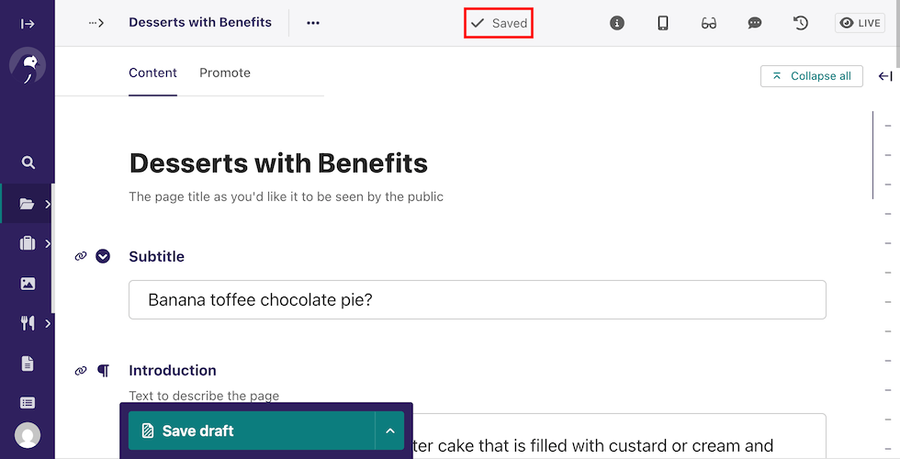
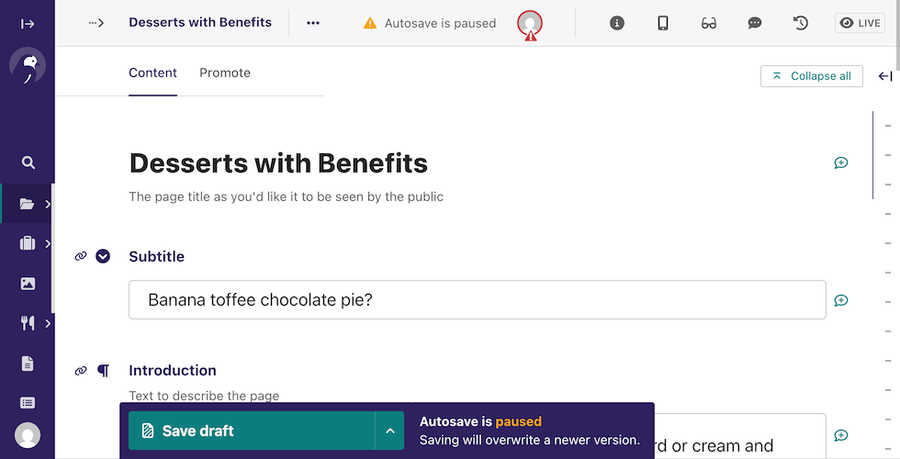
As you make changes, Wagtail periodically saves a draft in the background, helping prevent accidental data loss. Autosave pauses and clearly notifies you when there is a problem such as validation errors or another user editing the same content. Once the issue is resolved, autosave resumes automatically.
Custom editing layouts for block-based content
Developers can now group and reorder fields within content blocks, including placing advanced or less frequently used options into collapsible “settings” sections. For CMS users, this means:
- Less visual clutter when editing content
- Important fields are easier to find
- Advanced options stay out of the way unless needed
llms.txt for docs
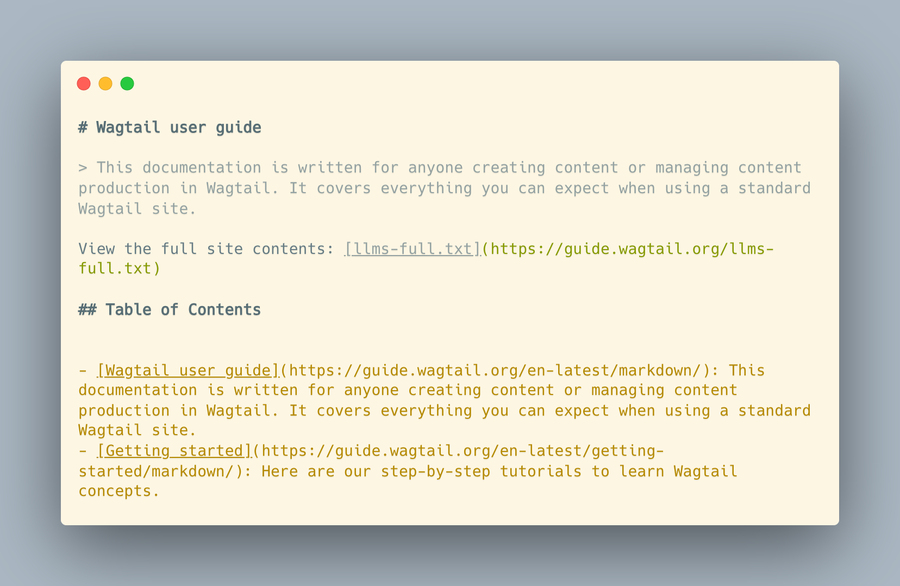
For users of Large Language Models (LLMs), the user guide contents are available in LLM-friendly formats:
- llms.txt, an LLM-focused index of all site contents.
- llms-full.txt, a full copy of the documentation
- llms-prompt.txt, an opinionated prompt you can copy-paste into your preferred AI tool so it answers questions based on the site’s contents.
View our About page for more information.
Improved image performance by default
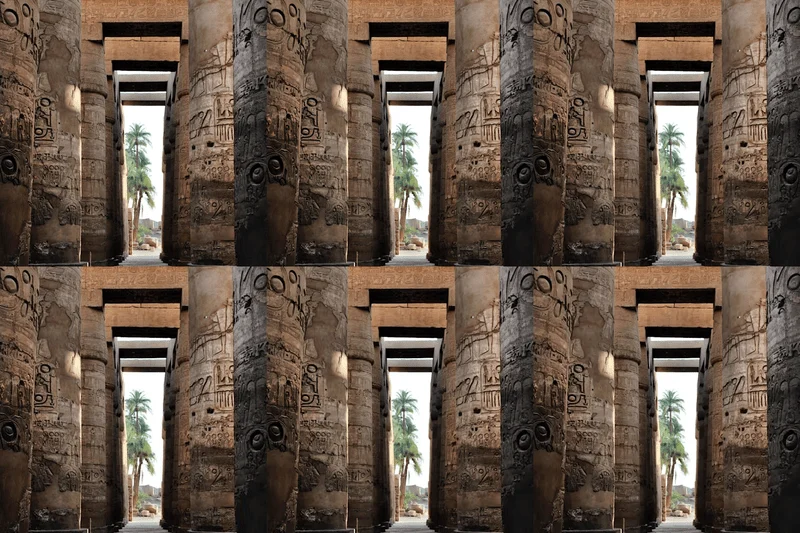
Wagtail now uses improved default image quality settings for newly uploaded images. These updated defaults reduce image file sizes by 20-50%, while keeping visual quality consistent across formats. The result is:
- Faster page loading
- Lower data usage
- Reduced energy consumption and carbon footprint when viewing pages
The visual quality of images should be near-identical - see if you can spot the difference between the top 3 and bottom 3 images:
For more information, check out our blog: 40% smaller images, same quality.
Custom content quality checks
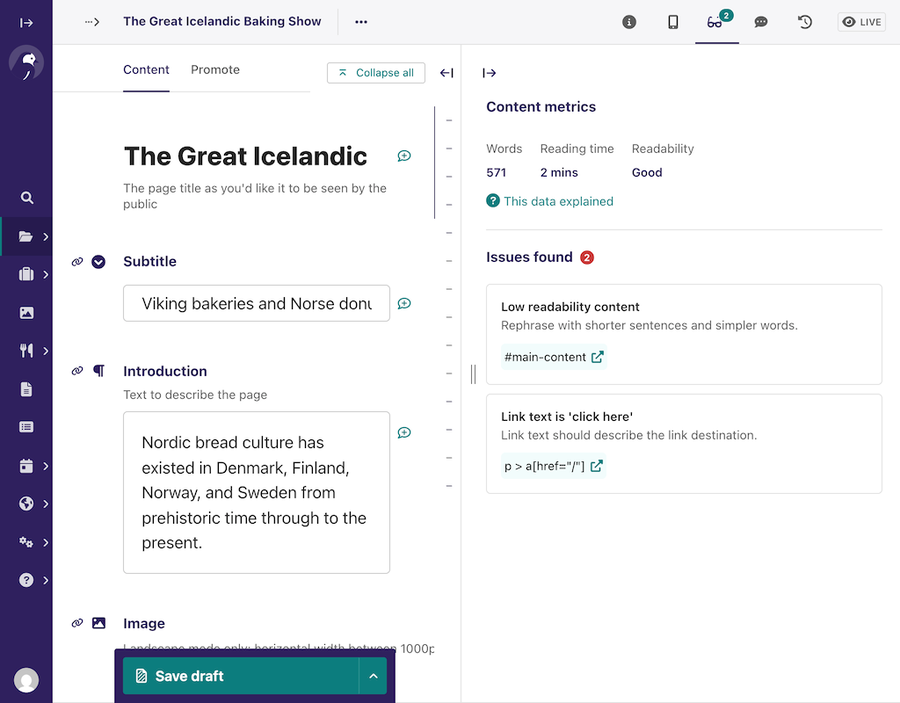
The built-in content checks system can now be extended with additional rules. Depending on how your site is configured, you may see new checks providing guidance on areas such as accessibility, readability, SEO, or general content quality. These checks appear directly in the editor, giving immediate feedback while you work.
Other improvements you may notice
This release also includes a range of smaller enhancements that improve day-to-day editing:
- Oversized profile avatar images are automatically resized when uploaded
- Built-in embeds now support Loom
- Block-based content now renders in structured format in comparison views
- Bulk actions confirmation steps now preserve search and filtering when returning to the listings.
Many behind-the-scenes fixes and performance improvements are also included.
Feedback requests
We need feedback from our users!
- What do you think of our llms.txt implementation? Any cool use cases or rough edges? Let us know in the llms.txt feedback discussion thread.
- Do you work on multilingual sites? Let us know about pain points in Improving support for multilingual websites.
To learn about future enhancements ahead of time 👉️ check out the Wagtail roadmap, subscribe to the Wagtail newsletter, or read Keeping up with upcoming changes in Wagtail.