New in Wagtail 8.1
On this page
Here are highlights from Wagtail 8.1. For full technical details, view the complete v8.1 release notes.
Wagtail Space 2026
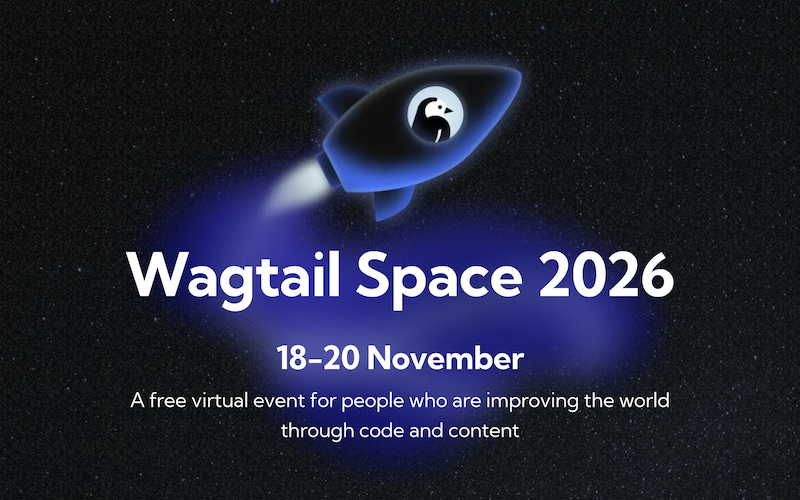
Our flagship Wagtail Space conference returns! Coming up 18-20 November, a free virtual event for people who are improving the world through code and content. 22 presentations over two days of talks and one day of community events. Register to join us 🚀
SEO power tools: page metadata
The Checks panel and the userbar's Checks dialog now show each page's meta title and meta description, with their length measured against how search engines typically display them. You can also expand View more meta tags to inspect every tag that search engines and social media link previews will see.
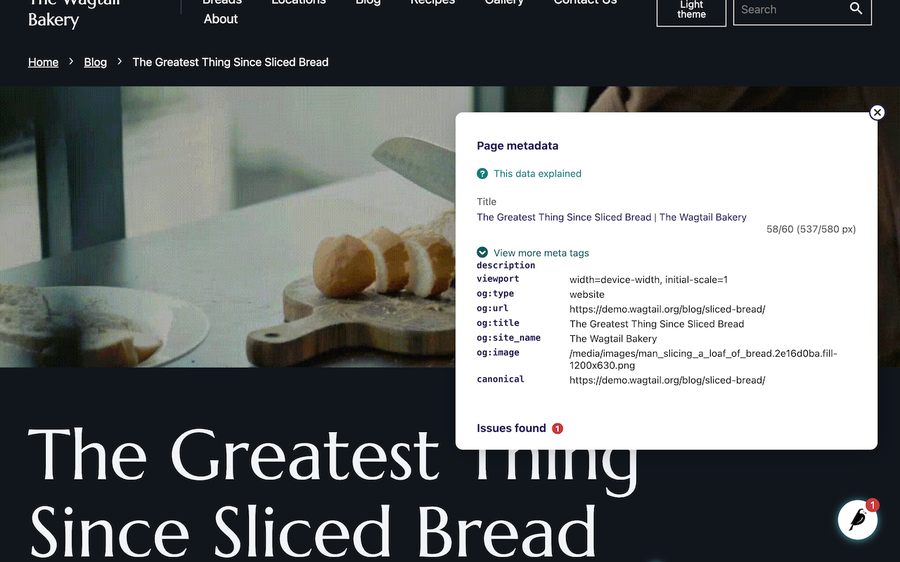
This makes it much easier to spot titles and descriptions that search engines will truncate, providing feedback on drafts without a need for separate tools that only work on published pages.
Thank you to Freedom of the Press Foundation for their sponsorship of this feature!
Varying page responses
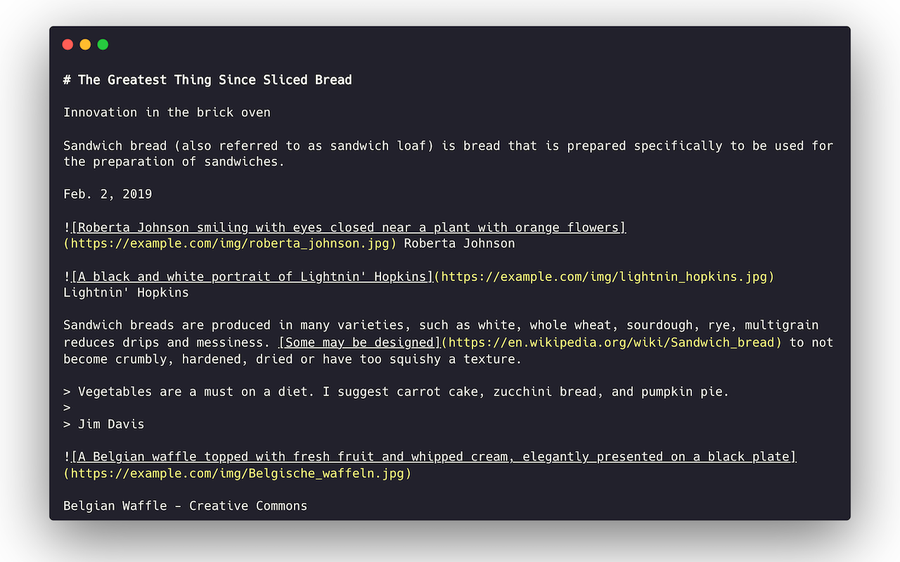
When configured by a developer, Wagtail can now serve more than one version of the content of a page at the same URL. This general-purpose capability can be used for content negotiation: for example to serve structured data with APIs, or Markdown for AI agents as a form of agent readiness. Here is an example rendering a page as Markdown:
API v3 for structured content
The v3 API preview gained a large batch of improvements since Wagtail 8.0, most notably:
- Table blocks and nested inline relations can now be created and updated through the API, rather than needing to be edited in the Admin interface.
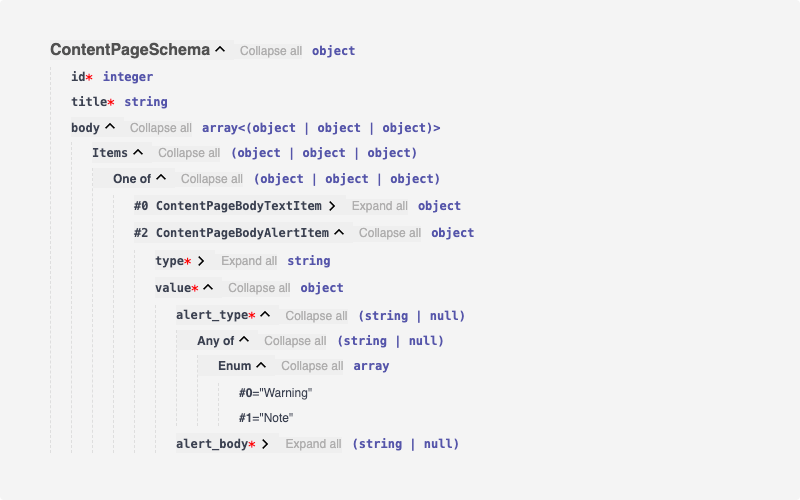
- More complete schemas: the API now self-documents more of your content model.
- More reliable Markdown: rich text is converted to Markdown more consistently, particularly styled text inside links, line breaks, multi-paragraph quotes, and nested lists. This makes the Markdown output of pages far closer to what you see on the site.
Here is an example of the structured schema, with the fields of a specific body block clearly visible:
As in Wagtail 8.0, all of this needs a developer to enable the API. For developer documentation, see the v3 API guide.
API v3 workflow operations
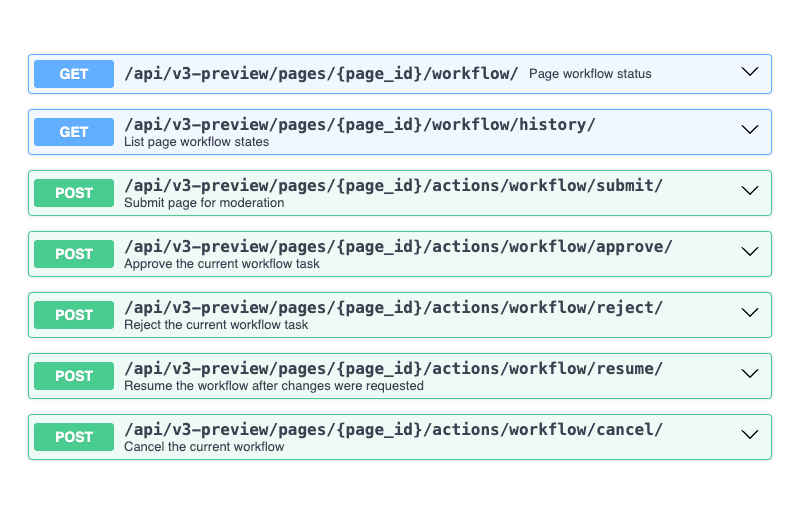
The API now supports workflow operations on pages and and compatible snippets, so integrations can submit content to a workflow without visiting the Admin interface.
Faster, better sitemaps for multilingual sites
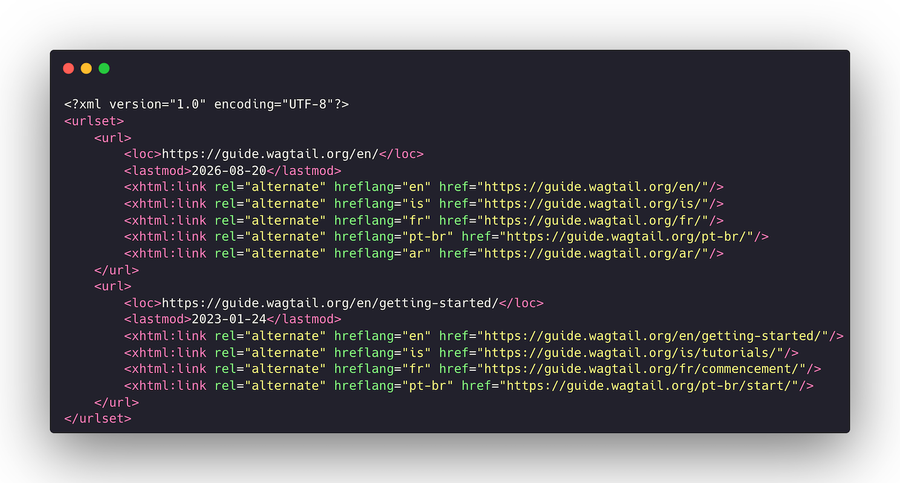
Sitemaps now include alternate links for translated pages, and list every locale of the site rather than only the default one. If you run a multilingual site, more of your translated content can be discovered by search engines.
Prototype command line interface (CLI)
As part of the new v3 API preview, we are introducing a prototype Wagtail CLI to speed up and automate common operations on Wagtail projects. When the API is set up by a developer, CMS users can then use the command line interface to make content changes.
Official agent skills
We now provide official agent skills for developers, that work together with the CLI and the API. They are primarily intended for developers but also make AI agents work more effectively on all Wagtail-related tasks.
Here is an example that combines the CLI, the skills, and the API to make content changes with DeepSeek Harness and Mistral Large 4.
Other UI improvements
This release also includes a range of smaller enhancements that improve day-to-day editing:
- When you move or rename a page, Wagtail no longer creates a redirect if the page isn't live, and no longer creates one if its URL doesn't actually change.
- The document upload form now lists the file types it accepts, so you know what's supported before choosing a file.
- Moving or renaming a page now clears the relevant pages from your site's front-end cache, so visitors see the updated address sooner.
- Uploaded avatars respect the orientation stored in the photo, so portrait photos no longer appear sideways in the Admin interface.
- Workflow action buttons are protected against double clicks, which could previously cause an error or overwrite another person's decision.
- Workflow actions are rejected if the task was updated by someone else while you were filling it in, rather than overwriting their change.
- In the slim Sidebar, nested submenu labels no longer become invisible.
- Copying a page with a long revision history no longer uses excessive memory.
- Audit log entries for copying pages, copying for translation, and creating aliases now reference the page you copied rather than its parent page.
- Rich text content is more reliable in the v3 API's Markdown output, particularly around links, line breaks, quotes, and nested lists.
Many behind-the-scenes fixes and performance improvements are also included.
Let us know what you think
We thrive with feedback from our community. Make sure to register for Wagtail Space 2026, and tell us how you find the new release!
To learn about future enhancements ahead of time 👉️ check out the Wagtail roadmap and subscribe to the Wagtail newsletter.